
AV Cart Buyer's Guide
AV Projector Carts are a great way to make your AV equipment mobile and share between classrooms. They are particularly useful in schools and offices. Carts aren’t just for transportation. They are also for storage. When a projector or monitor is placed on an AV cart, no additional furniture is needed.
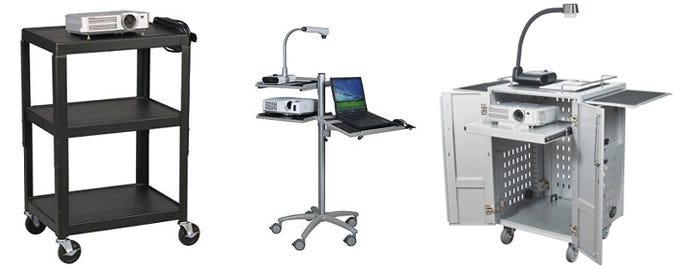
You'll find an array of AV carts designed to safely support and secure your expensive electronic equipment. Check out the brief summary of features and options you should consider on your next AV cart purchase.
Audio/Visual Carts
These carts are often the media workhorse of the classroom or office. They come in many configurations and sizes, but most of these AV carts are designed to load all of your technology equipment onto one convenient cart. They feature shelves, cabinets, pull-out drawers, and myriad other compartments specifically designed to support all your basic multi-media needs. Schools use the often to share expensive media equipment between classrooms.
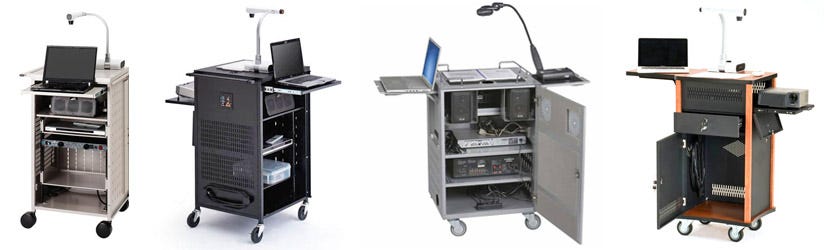
Stand-Up or Sit-Down Height: Make sure you select the correct height of your Audio Visual Cart to meet the daily needs of your instructors. If the teacher will be seated while using the cart, he or she will need to choose a cart with a height range of approximately 30". A stand-up unit will need to be much taller with a height range of approximately 39"-40" H. In addition, several carts have height adjustable top shelves. This is helpful when you use a projector and need to position it in relation to a fixed screen. Height adjustability is also ideal for positioning a projector so audiences in large rooms can see presentations on a monitor or TV screen. With adjustable cars, taller is typically better.
Projector Stands
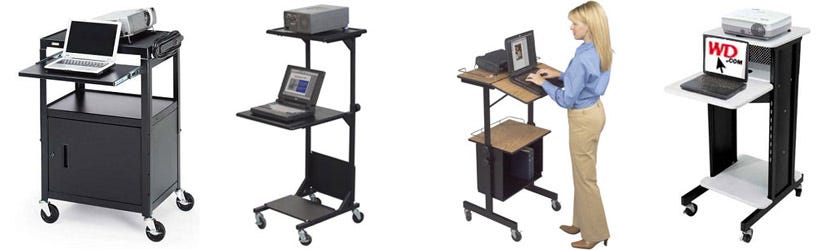
Projector stands provide a simple platform to rest your classroom or office projector on for digital and media presentations. Many projector stands are portable, which allows easy transportation of your expensive digital projectors and media equipment from room to room. Today, most LCD or DLP projectors are being controlled via a laptop or desktop computer, so look for a projector cart that can house this equipment, too.
Document Camera Carts
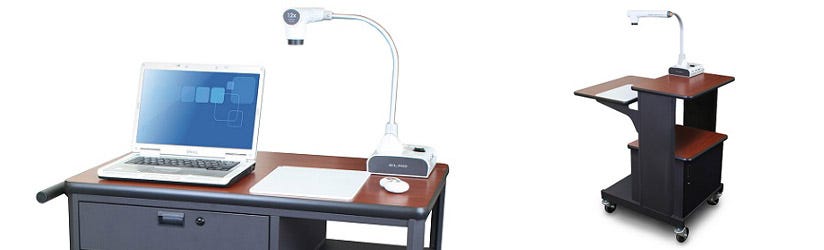
Document cameras have become one of today’s favorite teaching tools by educational staff. Whether they have Elmo®, Lumen®, or other brands of document cameras, they need a stable cart or stand to let their projections shine.
Overhead Projector Carts
Still getting the job done on some campuses and office spaces, the overhead projector needs a sturdy platform. We have several overhead projector carts available that allow for easy movement between classroom aisles.
Utility Carts
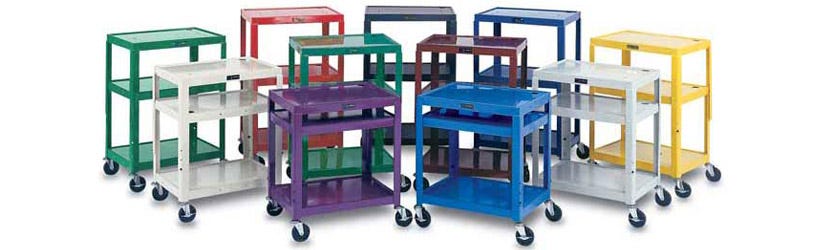
Not sure if you need a cart that is specific to technology? Utility carts are the perfect place to start. Any organization will find these all-purpose carts useful through being able to perform several functions. From moving books to afternoon snacks to car parts, there's a utility cart for everything. Some feature lips around their shelf's perimenter to keep objects in place while in transit. Look for these tub style storage carts if you are moving objects that could move.
TV Carts
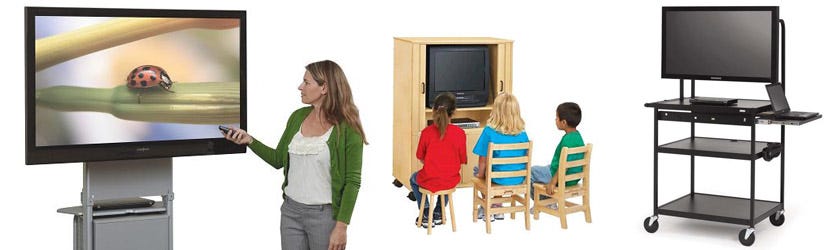
More and more schools and businesses are adding a TV monitor to their AV resources and a high-quality TV cart is essential in keeping it secure and mobile. Flat panel carts are equipped with VESA compatible mounting brackets to make installing the TV a cinch. TV carts have a recommended monitor size capacity, so make sure you choose the size to fit your screen.
Options
Each of the AV carts we offer come with various options and features. With many of the features now available in an AV cart this high-tech furniture has truly developed into comprehensive platforms for your multimedia presentations.
Mobility: The little, rotating wheels on the bottom of AV carts are called casters. Casters make the units mobile. The quality and size of the casters determine how easily the cart will move from room to room. They can be made of steel, rubber, or plastic and are available in a variety of sizes. Figure out which size and material will work best with your flooring before deciding on a unit. It is a good idea to choose non-marring casters, so they won’t scratch up the floor. Casters that lock are important for protecting the AV equipment if the cart gets bumped.
Storage: Cart storage is a crucial consideration. Locking storage cabinets are usually an option. They can fit on the bottom of the carts, keeping your expensive AV equipment and accessories secure when not in use.
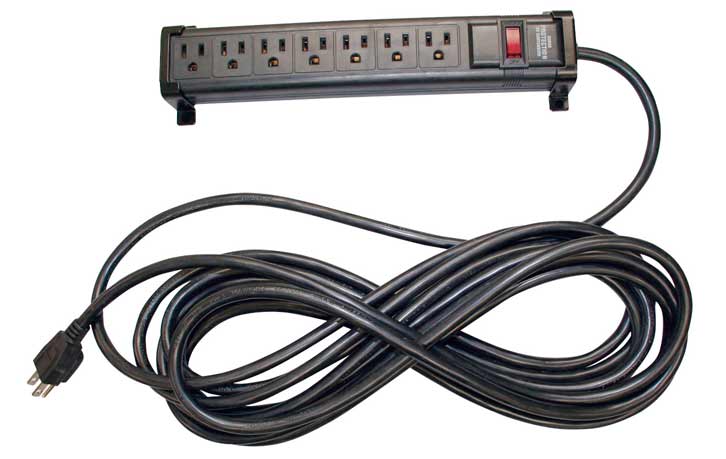 Electrical Assemblies: Optional power strips are one of the most overlooked features that can add convenience to your AV cart providing one source for all your electrical needs.
Many carts have built-in or integrated electrical assemblies allowing you to plug in one or more components, as well as a long cord to plug in to a wall outlet. You can keep all your equipment plugged in and use your electronics even when far away from an outlet. For guaranteed safety, be sure the assembly has a surge protector and is UL listed/CSA approved.
Durability: The material the units are constructed from can be metal, plastic, or wood. Some AV Carts are made of a combination of these materials. The majority of AV carts are steel. Steel is durable, rugged, and can easily support heavy equipment. Plastic carts made from materials like polyethylene, though, can surprisingly compete with steel – and save buyers money, as well. They’re generally cheaper and lighter weight. Depending on how much equipment will be piled on top it, going with a plastic cart may be a wise choice.
Stability: A tall AV cart supporting a large, heavy monitor can turn into a media catastrophe if the cart turns too sharply. Some carts use graduated designs, with a wider body and a narrower top to enhance stability for the extra weighty loads.
Flexibility: An AV cart with extra leaves or shelving can be very handy for important presentations. When you need to use additional materials like papers or a laptop, having a sturdy place to set them is ideal. When they are not in use, they can fold away or slide beneath another shelf.
If you have any questions regarding the AV Carts sold on the Worthington Direct website, contact our knowledgeable customer service team at 800-599-6636 or email [email protected].


We accept payment through ClassWallet
We are an approved ClassWallet vendor and you may email sales@worthingtondirect.com for a quote or submit an online quote request to get your transaction started.